




Choosing between QuickBooks Online Payroll Core, Premium, and Elite can feel overwhelming when every dollar and feature matters to your business. Whether you’re running payroll for a three-person team or managing a growing workforce of 50+, the right plan saves you time, reduces errors, and keeps you compliant with federal and state tax obligations.
This guide breaks down pricing, features, and real use cases for all three QuickBooks Online Payroll plans so you can pick the one that fits your budget and business needs. We’ve updated every pricing detail for 2026 and organized the comparison to make your decision as straightforward as possible.
Quick Recommendation (TL;DR)
- QuickBooks Online Payroll Core is best for small businesses with basic payroll needs and tight budgets. You get full-service payroll with automated tax filing at the lowest cost.
- QuickBooks Online Payroll Premium is ideal for growing businesses that need same-day direct deposit, HR support, and workers’ comp management.
- QuickBooks Online Payroll Elite is the right choice for companies that want a white-glove payroll experience with expert setup, personal HR advisor, and tax penalty protection.
Not sure where you fall? Keep reading for a full feature breakdown, pricing comparison, and scenario-based recommendations.

Side-by-Side Plan Comparison (2026 Pricing)
The table below gives you a snapshot of how QuickBooks Payroll Core vs Premium vs Elite stack up on the details that matter most: cost, payroll features, tax support, HR tools, and expert services.
| Feature | Core | Premium | Elite |
|---|---|---|---|
| Monthly Base Price | $45/mo | $80/mo | $125/mo |
| Per Employee Cost | +$6/employee/mo | +$8/employee/mo | +$10/employee/mo |
| Full-Service Payroll | Yes | Yes | Yes |
| Automated Payroll Runs | Yes | Yes | Yes |
| Auto Tax Calculations & Filing | Yes | Yes | Yes |
| Next-Day Direct Deposit | Yes | Yes | Yes |
| Same-Day Direct Deposit | No | Yes | Yes |
| Workers’ Comp Administration | No | Yes | Yes |
| HR Support Center | No | Yes | Yes |
| Time Tracking (QuickBooks Time) | No | No | Yes |
| Expert Review of Payroll | No | No | Yes |
| Personal HR Advisor | No | No | Yes |
| Tax Penalty Protection | No | No | Yes |
| White-Glove Setup | No | No | Yes |
| 24/7 Expert Product Support | No | No | Yes |
| Best For | Small teams, basic payroll | Growing businesses | Scaling companies needing full support |
Want personalized help choosing? Talk to a Paygration payroll specialist for a free consultation on which plan fits your business.
QuickBooks Online Payroll Core: The Essentials at the Lowest Price
QuickBooks Online Payroll Core gives you everything you need to run payroll accurately and stay compliant without paying for extras you don’t use. At $45 per month plus $6 per employee, it’s the most affordable full-service payroll plan from Intuit.
What You Get with Core
- Full-service payroll: Calculate wages, deductions, and net pay with a few clicks. Run payroll from your desktop or the QuickBooks mobile app.
- Automated tax calculations and filings: QuickBooks calculates federal and state payroll taxes, files your tax forms (W-2s, 1099s, 940, 941), and makes tax payments on your behalf.
- Next-day direct deposit: Employees receive their pay the next business day after you run payroll.
- Employee self-service portal: Your team can access pay stubs, W-2s, and update personal information without calling you.
- Health benefits integration: Connect medical, dental, and vision insurance. Deductions are automatically applied each pay period.
- 401(k) plan support: Integrate retirement plan contributions directly into payroll.
- Garnishment payments: Handle child support and other wage garnishments with automated deductions.
What Core Does NOT Include
- Same-day direct deposit
- Workers’ compensation administration
- HR support tools or advisor access
- Time tracking through QuickBooks Time
- Payroll expert review before submission
- Tax penalty protection
Core covers the fundamentals well. If you’re a small business owner who runs a straightforward payroll (salaried employees, no complex scheduling, minimal HR needs), this plan handles the job without unnecessary costs.

QuickBooks Online Payroll Premium: More Power for Growing Teams
QuickBooks Payroll Premium builds on Core’s foundation and adds the tools growing businesses need most: same-day direct deposit, HR support, and workers’ comp management. It’s priced at $80 per month plus $8 per employee.
What Premium Adds Beyond Core
- Same-day direct deposit: Instead of waiting until the next business day, your employees can receive their pay the same day you run payroll. This is a major perk for businesses where cash flow timing matters to workers.
- Workers’ compensation administration: Premium handles your workers’ comp payments automatically. Rather than making a large upfront payment, you pay as you go each pay period based on actual wages. This improves cash flow and eliminates year-end audits.
- HR support center: Get access to an HR resource library with employee handbook templates, job description builders, state and federal compliance alerts, and training tools. You won’t need a separate HR software subscription.
Why the Upgrade from Core Matters
The jump from Core to Premium isn’t just about a few extra features. Same-day direct deposit alone can improve employee satisfaction and reduce turnover. Workers’ comp pay-as-you-go eliminates the burden of lump-sum payments. And the HR support center gives you a compliance safety net that can prevent costly mistakes as you add team members.
For a business with 10 employees, the difference between Core and Premium is roughly $55 per month ($125 for Core vs $160 for Premium with the per-employee fees). That’s a small price for significantly better payroll speed, HR resources, and workers’ comp management.
QuickBooks Online Payroll Elite: Full-Service Payroll with Expert Support
QuickBooks Payroll Elite is the top-tier plan for businesses that want hands-on expert support and complete peace of mind. At $125 per month plus $10 per employee, it includes everything in Premium plus several exclusive features.
What Elite Adds Beyond Premium
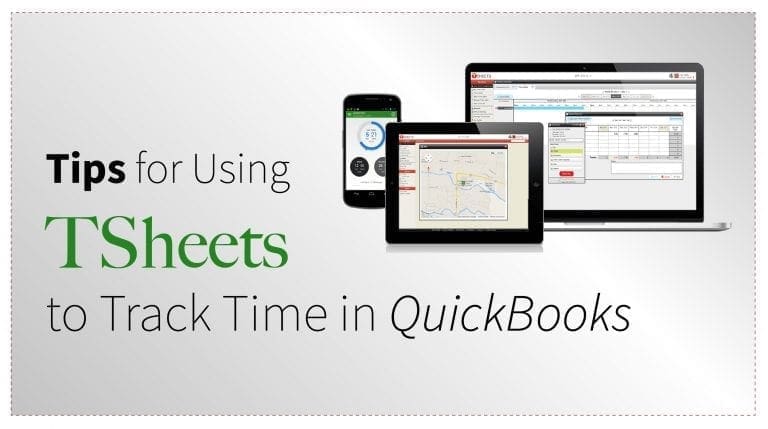
- QuickBooks Time integration (included): Elite includes QuickBooks Time (formerly TSheets) at no additional cost. Employees can clock in and out from their phone or computer, and hours flow directly into payroll. This feature alone costs $20+/month if purchased separately.
- Expert review before payroll submission: A QuickBooks payroll expert reviews your payroll before it’s processed, catching errors before they become problems. This is especially valuable for businesses with complex pay structures, multiple pay rates, or frequent overtime.
- Personal HR advisor: Unlike Premium’s self-service HR center, Elite gives you access to a dedicated HR advisor who can answer specific questions about hiring, termination, compliance, and employee management.
- Tax penalty protection: If QuickBooks makes a tax filing error, Intuit will cover the penalty and resolve the issue. This guarantee doesn’t exist on Core or Premium.
- White-glove setup: A payroll expert helps you set up your account from scratch, migrating data, configuring tax settings, and ensuring everything is correct before your first payroll run.
- 24/7 expert product support: Get help any time of day, any day of the week. Core and Premium have limited support hours.
The Elite Advantage
Elite is designed for business owners who don’t want to worry about payroll at all. The expert review catches mistakes before they cost you money. The tax penalty protection removes financial risk. And the included QuickBooks Time subscription saves you the cost of a separate time-tracking tool.
If you have hourly employees, multiple job sites, or complex scheduling, the built-in time tracking alone justifies a significant portion of the price difference.

Feature-by-Feature Comparison
This detailed breakdown compares every significant feature across QuickBooks Payroll Core, Premium, and Elite so you can see exactly what you gain at each tier.
| Feature | Core | Premium | Elite |
|---|---|---|---|
| Full-service payroll | Yes | Yes | Yes |
| Automated payroll runs | Yes | Yes | Yes |
| Auto tax calculations | Yes | Yes | Yes |
| Federal and state tax filings | Yes | Yes | Yes |
| W-2 and 1099 preparation | Yes | Yes | Yes |
| Next-day direct deposit | Yes | Yes | Yes |
| Same-day direct deposit | No | Yes | Yes |
| Employee self-service portal | Yes | Yes | Yes |
| Health benefits administration | Yes | Yes | Yes |
| 401(k) and retirement plans | Yes | Yes | Yes |
| Garnishment payments | Yes | Yes | Yes |
| Workers’ comp (pay-as-you-go) | No | Yes | Yes |
| HR support center | No | Yes | Yes |
| QuickBooks Time (time tracking) | No | No | Yes |
| Expert payroll review | No | No | Yes |
| Personal HR advisor | No | No | Yes |
| Tax penalty protection | No | No | Yes |
| White-glove setup assistance | No | No | Yes |
| 24/7 expert product support | No | No | Yes |
Pricing Breakdown for 2026
Understanding the total monthly cost requires factoring in both the base subscription fee and the per-employee charge. Here’s what you’ll actually pay based on your team size.
| Team Size | Core (Total/mo) | Premium (Total/mo) | Elite (Total/mo) |
|---|---|---|---|
| 1 employee | $51 | $88 | $135 |
| 5 employees | $75 | $120 | $175 |
| 10 employees | $105 | $160 | $225 |
| 25 employees | $195 | $280 | $375 |
| 50 employees | $345 | $480 | $625 |
Is the Price Difference Worth It?
For a 10-person team, upgrading from Core to Premium costs an extra $55 per month. Here’s what that $55 buys you:
- Same-day direct deposit (faster pay = happier employees)
- Workers’ comp pay-as-you-go (no large upfront payments)
- HR support center (compliance resources that could prevent a single mistake worth thousands)
The jump from Premium to Elite for 10 employees is $65 more per month. That $65 includes:
- QuickBooks Time (worth $20+ per month on its own)
- Expert payroll review (prevents costly errors)
- Personal HR advisor (no need for an HR consultant)
- Tax penalty protection (financial risk eliminated)
- 24/7 support and white-glove setup
When you consider that a single payroll tax penalty can cost $500 or more, and that QuickBooks Time alone has a retail cost that covers a large chunk of the price difference, Elite provides strong return on investment for businesses with 10+ employees.
Paygration can help you find exclusive discounts on all three plans. Check current QuickBooks Payroll Core pricing or explore QuickBooks Payroll Premium features and pricing for the latest offers.

Who Should Choose Each Plan
Choose Core If You:
- Have fewer than 10 employees
- Run a simple payroll with salaried or standard hourly workers
- Don’t need same-day direct deposit
- Handle workers’ comp separately and have basic HR needs
- Want the most affordable full-service payroll solution
- Are just getting started and want to keep overhead low
Typical Core user: A freelancer with 1 to 2 contractors, a small retail shop with 3 to 5 employees, or a service business that needs reliable payroll without extras.
Choose Premium If You:
- Have 5 to 25 employees and are actively hiring
- Need same-day direct deposit for employee satisfaction
- Want pay-as-you-go workers’ compensation to improve cash flow
- Need HR compliance resources as your team grows
- Are concerned about staying compliant with state and federal labor laws
Typical Premium user: A growing e-commerce business, a restaurant adding seasonal staff, or a professional services firm that needs HR tools alongside payroll.
Choose Elite If You:
- Have 15+ employees, especially hourly workers
- Need built-in time tracking for accurate payroll
- Want an expert to review every payroll run before it processes
- Value having a personal HR advisor for employee issues
- Can’t afford the risk of payroll tax penalties
- Prefer white-glove setup so everything is done correctly from day one
Typical Elite user: A construction company with crews on multiple job sites, a healthcare practice with complex scheduling, or a growing agency that needs hands-off payroll management.
Not sure which tier fits? Compare Payroll Elite plan details or contact the Paygration team for a personalized recommendation.
Key Differences at a Glance
Here’s a quick summary of the most important differences between the three QuickBooks Online Payroll plans:
- Direct deposit speed: Core offers next-day deposit. Premium and Elite offer same-day deposit.
- Workers’ comp: Only Premium and Elite include pay-as-you-go workers’ comp administration.
- HR tools: Core has none. Premium includes a self-service HR support center. Elite adds a personal HR advisor.
- Time tracking: Only Elite includes QuickBooks Time at no extra cost.
- Error protection: Only Elite includes expert payroll review before submission and tax penalty protection.
- Setup: Core and Premium require self-guided setup. Elite includes white-glove setup with a payroll expert.
- Support hours: Core and Premium have standard business-hour support. Elite offers 24/7 expert assistance.
- Cost per employee: Core is $6, Premium is $8, Elite is $10 per employee per month.
Pros and Cons of Each Plan
QuickBooks Payroll Core
Pros:
- Lowest monthly cost of all three plans
- Full-service payroll with automated tax filing included
- Unlimited payroll runs (no extra charge per pay period)
- Employee self-service portal reduces admin work
- Integrates directly with QuickBooks Online accounting
Cons:
- No same-day direct deposit (next-day only)
- No workers’ comp administration
- No HR support tools
- No time tracking integration
- No expert review or tax penalty protection
QuickBooks Payroll Premium
Pros:
- Same-day direct deposit improves employee experience
- Pay-as-you-go workers’ comp simplifies insurance management
- HR support center provides compliance tools and templates
- Still relatively affordable for mid-size teams
- Good middle ground between basic payroll and full-service
Cons:
- No built-in time tracking (you’d need a separate subscription)
- No expert review of payroll before processing
- No tax penalty protection
- No dedicated HR advisor (self-service resources only)
- Higher per-employee cost than Core
QuickBooks Payroll Elite
Pros:
- QuickBooks Time included (saves $20+/mo on a separate subscription)
- Expert review catches payroll errors before they’re processed
- Tax penalty protection removes financial risk from tax filing mistakes
- Personal HR advisor answers specific business questions
- White-glove setup ensures everything is configured correctly
- 24/7 support means help is always available
Cons:
- Highest monthly cost of all three plans
- May include features that very small teams don’t need
- Premium may offer enough for businesses that already have an HR solution
Real-World Use Cases
Scenario 1: A Solo Consultant with 2 Contractors
Sarah runs a marketing consultancy and pays two part-time contractors every two weeks. She doesn’t need HR tools, time tracking, or same-day deposits. She wants affordable, accurate payroll with tax filings handled automatically.
Best plan: Core. At $57 per month (base + 2 employees), Sarah gets everything she needs. The employee self-service portal lets her contractors access their 1099s without Sarah lifting a finger. There’s no reason to pay for Premium or Elite features she won’t use.
Scenario 2: A Growing Restaurant with 15 Employees
Mike owns a restaurant that has just opened a second location. He has 15 employees across both sites, including servers, kitchen staff, and managers. He’s dealing with workers’ comp headaches and wants faster pay for his hourly workers to reduce turnover.
Best plan: Premium. At $200 per month, Mike gets same-day direct deposit (his staff loves it), pay-as-you-go workers’ comp (no more large quarterly payments), and HR tools to stay compliant with labor laws across locations. He doesn’t need Elite’s time tracking because he uses a POS system for scheduling.
Scenario 3: A Construction Company with 30 Hourly Workers
Lisa manages a construction firm with crews on four job sites. Her workers clock in and out at different times, overtime is common, and she’s been hit with a payroll tax penalty before. She needs time tracking that feeds directly into payroll, expert oversight, and penalty protection.
Best plan: Elite. At $425 per month, Lisa gets QuickBooks Time for mobile clock-in across all job sites. Hours sync directly into payroll, eliminating manual timesheet entry. The expert review catches calculation errors before they’re processed. And the tax penalty protection ensures she won’t face penalties for filing mistakes. The white-glove setup helps Lisa migrate from her old system without disruption.

Final Verdict: Which QuickBooks Online Payroll Plan Should You Choose?
Every QuickBooks Online Payroll plan includes full-service payroll with automated tax calculations and filings. The question isn’t whether QuickBooks handles payroll well (it does). The question is how much support, speed, and risk protection your business requires.
Start with Core if you have a small, straightforward team and your primary goal is affordable, reliable payroll. It does the job well and keeps costs minimal.
Upgrade to Premium when you start hiring more people, need faster direct deposits, want workers’ comp handled automatically, or need compliance tools to manage a growing workforce. The additional $35 per month (base fee difference) pays for itself quickly in reduced administrative burden and improved cash flow management.
Go with Elite when payroll accuracy, HR expertise, and time tracking are critical to your operations. If you have hourly workers, complex schedules, or simply can’t afford mistakes, Elite’s expert review, tax penalty protection, and included QuickBooks Time make it the most comprehensive option available.
No matter which plan you choose, Paygration is here to help. As an authorized QuickBooks reseller, we can help you get the best pricing, walk you through setup, and ensure your payroll is configured correctly from the start.
- Get started with QuickBooks Payroll Core
- Explore QuickBooks Payroll Premium features
- See what’s included in Payroll Elite
Already using QuickBooks Desktop Payroll? Learn how online and desktop options differ in our QuickBooks Desktop Payroll guide, or read our comparison of Enhanced Payroll vs Assisted Payroll to understand all your options.
Frequently Asked Questions
QuickBooks Payroll Core includes full-service payroll with automated tax filing and next-day direct deposit. Premium adds three important features: same-day direct deposit, pay-as-you-go workers’ compensation administration, and an HR support center with compliance tools and templates. Premium costs $35 more per month in base fees and $2 more per employee than Core.
Elite is worth it for businesses with hourly workers, complex pay structures, or a low tolerance for payroll errors. It includes QuickBooks Time (worth $20+/mo separately), expert payroll review before each submission, tax penalty protection, a personal HR advisor, white-glove setup, and 24/7 support. If you’d otherwise purchase time-tracking software and occasionally consult an HR professional, Elite can actually save you money.
Yes. All three QuickBooks Online Payroll plans, including Core, are full-service payroll solutions. Core automatically calculates federal and state payroll taxes, files tax forms (including W-2s, 1099s, Form 940, and Form 941), and makes tax payments on your behalf. You don’t need to upgrade to Premium or Elite for tax filing.
For most small businesses with fewer than 10 employees and straightforward payroll needs, Core is the best value. It covers all essential payroll functions at the lowest cost. However, if you need same-day direct deposit or workers’ comp management, Premium is worth the upgrade. Small businesses with hourly workers who need time tracking should consider Elite for the included QuickBooks Time feature.
Yes. You can upgrade your QuickBooks Online Payroll plan at any time without losing your data. Your payroll history, employee information, and tax records carry over when you move to a higher tier. If you start with Core and later need Premium or Elite features, the transition is straightforward.
In 2026, QuickBooks Online Payroll Core costs $45 per month plus $6 per employee. Premium costs $80 per month plus $8 per employee. Elite costs $125 per month plus $10 per employee. Paygration may offer exclusive discounts on these plans, so check current pricing here.
Only the Elite plan includes time tracking through QuickBooks Time (formerly TSheets) at no additional cost. Core and Premium do not include time tracking. If you’re on Core or Premium and need time tracking, you’d need to purchase QuickBooks Time as a separate subscription or use a third-party solution.